
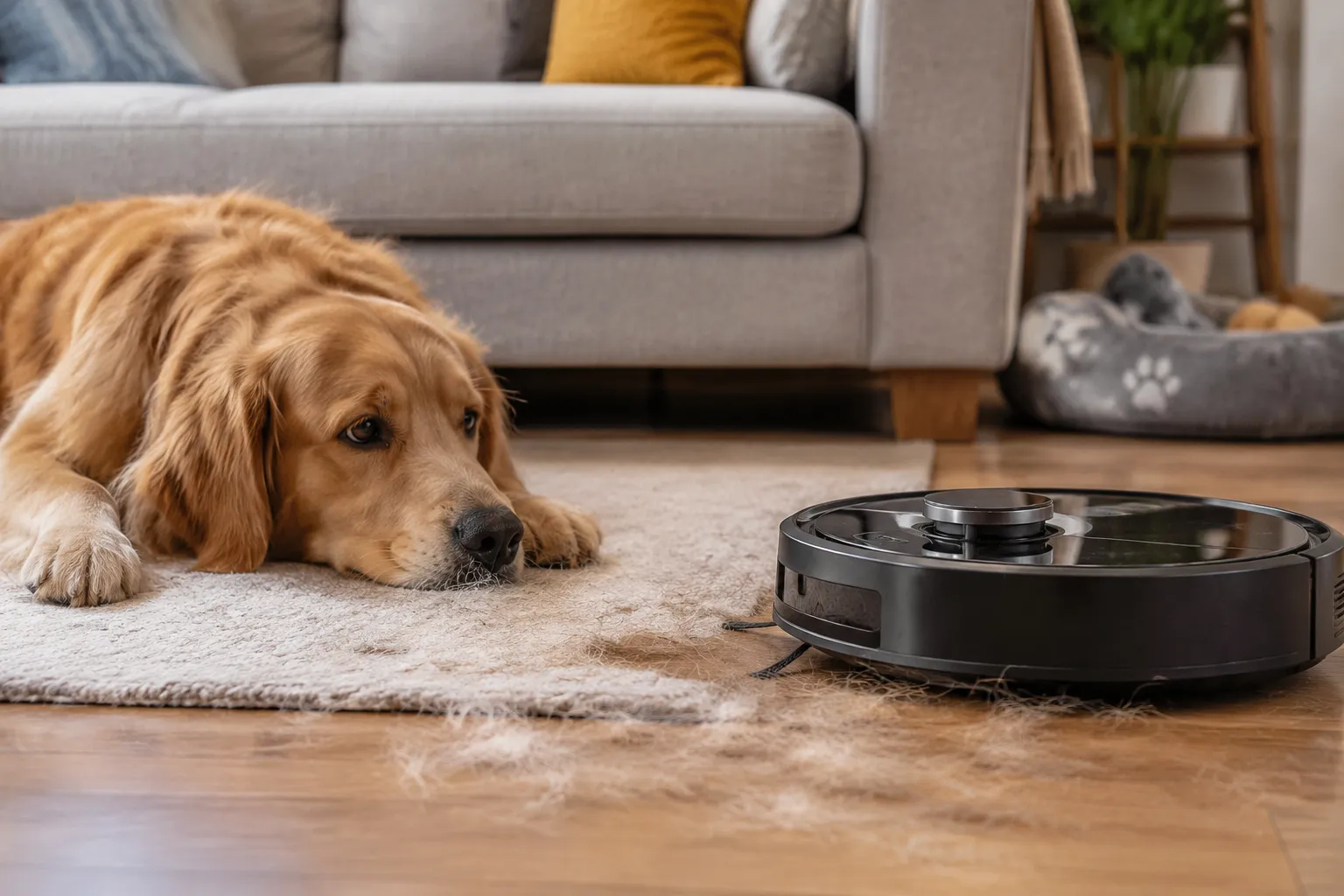
The first time a robot vacuum meets a house with a shedding dog, the machine usually loses. Hair wraps around the brush roll in a dense gray rope. The side brush tangles into a knot that requires scissors. The dustbin fills with fur that compresses into something closer to felt than fluff. Most owners conclude the robot was a bad purchase and put it in a closet. The machine was probably fine. The settings were wrong.
Pet hair is not like dust or crumbs. It is long, fibrous, and statically charged. It clings to carpet fibers and weaves itself into brush bristles. A robot configured for a normal household will treat hair as a nuisance it cannot handle. The same robot, reconfigured for the specific physics of fur, can keep up with a German Shepherd without a single manual untangling session for weeks. The difference is not the hardware. It is the setup.
The suction level that actually matters
Most robot vacuums offer three or four suction modes: quiet, standard, turbo, and something the marketing department calls max or pro. The instinct with pet hair is to run everything on max, all the time. That instinct costs battery life, increases noise, and wears out the filter faster, and it does not pick up meaningfully more fur.
Hair sits on the surface of hard floors. It takes almost no airflow to lift it. The problem is not lifting hair from tile or wood. The problem is hair embedded in carpet, and that is where the setting matters. On low-pile carpet, standard suction removes most visible fur. On medium-pile or plush carpet, turbo is required. Max mode is for one situation only: a house with high-pile carpet and a heavy shedder, where the robot passes over the same patch of rug and the filter still shows hair woven into the base of the fibers.
The smarter move is to set a schedule that uses standard suction on hard floors and turbo on carpeted rooms, if the app supports per-room settings. Many newer models do. When the robot transitions from tile to a rug, it should ramp up automatically. If the model lacks that feature, running the whole house on turbo is acceptable, but the battery drain is real. A robot that dies mid-clean on turbo is worse than one that finishes on standard.
One overlooked detail: the suction setting and the brush roll speed are linked. On most robots, a higher suction mode also spins the brush roll faster. Faster spinning helps beat hair out of carpet, but it also increases the chance of wrapping. For houses where tangling is the main complaint, dropping to standard suction on carpet can actually reduce wrap frequency while still picking up most of the hair. The tradeoff is real and worth testing in each home.
The brush roll setting nobody touches
Modern robot vacuums from the major brands ship with a setting buried in the app called carpet boost, auto boost, or sometimes just "brush speed." It is rarely on by default. The default is a conservative setting designed to protect the brush from damage on unknown surfaces. For pet hair, that default is wrong.
Enabling the boost mode increases the brush roll RPM when the robot detects carpet. The faster rotation agitates the carpet fibers more aggressively, which dislodges hair that is sitting below the surface. This is the single most effective setting change for homes with shedding pets, and most owners never find it because it hides in a submenu under "Cleaning Preferences" rather than in the main suction controls.
There is a counterintuitive downside. Boost mode on a carpet with long, loose fibers, think shag or a thick berber, can cause the robot to stall or error out with a brush jam. The machine senses the resistance and stops. For those homes, the boost setting should stay off, and the robot should run in standard mode with more frequent passes instead. The frequency compensates for the lower agitation.
For most households with standard carpet, though, boost mode is the difference between a robot that leaves visible fur lines and one that leaves a clean rug. It is worth enabling and then watching the first few runs to see if the robot reports any brush errors. If it completes a full cycle without jamming, leave it on.
How many passes a shedding house really needs
The default cleaning schedule on most robot vacuums is one pass over the floor, once a day. For a home with a dog or cat, that schedule is the root cause of the "the robot is useless" conclusion. Hair accumulates faster than a single daily pass can remove it, especially during shedding season.
The fix is not always more passes per cleaning. It is more frequent cleanings. A robot that runs for 20 minutes every morning and 20 minutes every evening will keep a house visibly cleaner than a robot that runs for 40 minutes once a day. The hair never accumulates to a visible level because it is removed on a shorter cycle. This is especially true for short-haired dogs that shed continuously in small amounts throughout the day.
The app setting that matters here is the schedule interval. Most apps allow multiple scheduled runs per day, but the default only uses one. Setting a morning run and an evening run, each in standard mode, is the most effective schedule change for pet hair. The robot does not need to work harder. It needs to work more often.
For homes with a heavy seasonal shed, the schedule should also include a weekend deep clean. This run uses turbo suction and double passes on carpeted areas. The app setting for this is usually called "double pass" or "two passes," and it makes the robot clean in a grid pattern, horizontal then vertical, covering the same area twice. That grid pattern is what pulls the embedded undercoat out of carpet. A single pass, even on turbo, leaves a surprising amount of fur behind.
The no-go zone trick for hairy areas
Pet owners tend to think of no-go zones as a way to keep the robot away from water bowls or fragile furniture. The zones have a second use that matters more for hair control: keeping the robot away from the exact spots where the pet sleeps.
A dog bed in the corner of the living room is a hair factory. The dog lies there for hours, shedding continuously, and the hair forms a concentrated ring around the bed. When the robot passes over that area, the brush roll loads up with a dense clump of fur in the first ten seconds. The clump then reduces cleaning effectiveness for the rest of the run, because the brush roll is already wrapped and cannot agitate properly.
Setting a no-go zone around the dog bed forces the robot to clean the area manually or with a handheld vacuum. This seems counterproductive at first, but it works because the concentrated hair patch is better handled by a quick manual pass with a crevice tool than by a robot that struggles through it and then performs poorly everywhere else.
The same logic applies to cat trees and scratching posts. These are high-shed zones that should be excluded from the robot's path. The robot still cleans the rest of the room well, and the owner handles the hot spot manually once or twice a week. The overall result is a cleaner house, because the robot's full run is effective rather than compromised in the first few minutes.
The filter and bin maintenance schedule
A robot vacuum with a clogged filter loses suction dramatically. A filter that is 50 percent blocked can cut airflow by a third, and the machine will still report that it is running normally. The sensor metrics on most apps do not measure filter clog directly. They measure motor load and battery draw, which are imperfect proxies.
For pet hair, the filter needs cleaning at least twice as often as the manufacturer's default recommendation. The general guidance of "empty the bin when full and clean the filter monthly" assumes a normal household. A house with a shedding dog fills the bin with compressed fur that blocks airflow through the filter even when the bin appears only half full.
The practical approach is to check the filter every time the bin is emptied. A quick tap against the side of a trash can removes most of the surface dust and hair. Once a week, the filter should be rinsed under warm water if the model allows it, or replaced if it is the disposable type. The difference in pickup performance between a freshly cleaned filter and a filter that has run for two weeks with pet hair is dramatic. The robot sounds the same. It just leaves hair behind.
The bin itself also matters. Many robots now use a self-emptying station that sucks the bin contents into a larger bag. This works well for dust and crumbs, but pet hair compresses into a mat that does not always release from the bin walls. Owners with self-emptying robots should still open the bin every few days and pull out the hair mat manually. The station will keep running and the bag will fill, but the robot's bin can stay partially clogged, reducing its pickup efficiency for the entire run.
The side brush setting that prevents tangle disasters
The side brush is the most fragile part of a robot vacuum, and it is the part that fails most often in pet homes. The brush spins at high speed to flick debris into the suction path, but hair wraps around its base and eventually stops it from spinning entirely. A stopped side brush looks like a broken robot, and many owners replace the entire machine over a part that costs a few dollars.
Several robot brands now offer a side brush speed setting in the app. The default is usually "auto," which adjusts speed based on detected surface. For pet hair, the setting should be set to "low" or "eco" on hard floors. Slower spinning reduces the centrifugal force that flings hair into the brush's hub. The hair stays on the floor where the main brush can pick it up, rather than wrapping around the side brush's axle.
The tradeoff is that a slower side brush flicks less debris from edges and corners. That tradeoff is acceptable in a pet home, because the corners will accumulate dust a little faster, but the alternative is a side brush that seizes up entirely. The robot then leaves a visible strip of uncleaned floor along every wall, which is worse than slightly dusty corners.
Some models let the owner set the side brush speed independently for each room. This is the ideal configuration: low speed on hard floors where the robot cleans long runs and picks up hair, and auto or high speed in carpeted rooms where the side brush mostly handles debris that the main brush misses. The extra control is worth the time spent in the app.
The carpet depth sensor adjustment
High-end robot vacuums include a carpet depth sensor that detects when the robot has moved from hard flooring to carpet and adjusts the brush roll height accordingly. The sensor has a sensitivity setting in the app, usually labeled as "carpet detection" or "threshold." The default sensitivity is calibrated for average carpets.
In homes with low-pile carpet or rugs with a thin profile, the default sensitivity can miss the transition entirely. The robot continues running in hard-floor mode, with the brush roll at the wrong height, and the hair stays embedded. The fix is to increase the sensitivity setting. This makes the robot detect even thin rugs and adjust the brush roll for deeper agitation.
The opposite problem occurs in homes with thick rugs. The sensor can trigger too aggressively, causing the robot to raise the brush roll higher than necessary, which reduces contact with the carpet surface. Lowering the sensitivity in that case gives the brush roll more contact, which means more hair removal. The right setting depends on the carpet types in the home, and it is worth adjusting based on the thickest carpet rather than the most common one.
The difference a clean cliff sensor makes
The cliff sensors on the bottom of a robot vacuum prevent it from falling down stairs. They also detect dark surfaces and, on some models, they affect the robot's suction behavior on dark rugs. A dark-colored rug can be read as a drop-off, causing the robot to slow down or avoid the area entirely. In pet homes, where dogs often shed heavily on a dark rug that matches their fur color, this is a silent failure.
Wiping the cliff sensors with a dry cloth before each scheduled cleaning prevents this issue. Hair and dust accumulate on the sensor lenses, and the accumulation worsens over time as the robot passes over the same shed-heavy areas. A robot that skips the dark rug in the hallway is not lazy. It is blind.
The app usually has a "cleaning history" map that shows which areas the robot covered. If the map consistently shows a skipped patch in a location where a dark rug sits, the fix is a sensor wipe, not a new robot. This simple maintenance step restores full coverage and ensures the robot actually reaches the hair that accumulates on that rug.
The schedule that works with shedding seasons
Dogs and cats shed on a cycle that has little to do with the calendar. Indoor heating and artificial light disrupt the natural seasonal rhythm, so a pet might shed heavily in February and barely at all in June. A fixed schedule set once and never touched will either over-clean in the summer or under-clean in the winter.
The app setting that gets used least is the "seasonal schedule" or the ability to clone and adjust existing schedules. During a heavy shed period, the schedule should run twice daily with turbo on carpets. When the shedding tapers off, the schedule can drop to once daily on standard. This is a manual adjustment that takes about two minutes in the app.
Owners who skip this adjustment end up with either a robot that runs too often and wears out the battery and filter during low-shed months, or a robot that cannot keep up during high-shed weeks. The pets do not announce when the shed starts. The first visible sign is a fur line along the baseboard that appears within hours of the last cleaning. That is the signal to open the app and change the schedule.
Adjusting the schedule also means adjusting the no-go zones and the room-specific settings. During heavy shed, the room where the dog spends the day needs turbo suction and two passes. During low shed, that room can run standard with a single pass. The robot has the capability to handle both scenarios. It just needs the settings updated to match the current reality.
A robot vacuum that handles pet hair well is not a different machine from the one that failed. It is the same machine running with a boosted brush on carpet, a slower side brush on hard floors, a twice-daily schedule, a clean filter, and a no-go zone around the dog bed. The settings are the product. The hardware just follows along.